 EngineeringHulk
- Home
- Blog
- Computer Science & IT
- Internet of Things (IoT): Meaning, Architecture, Protocols and Applications
Internet of Things (IoT): Meaning, Architecture, Protocols and Applications

On this page
The Internet of Things (IoT) is the network of physical objects (meters, machines, vehicles, appliances, wearables) fitted with sensors, a small computer and a network connection, so they can send data and be controlled without a person at a keyboard. A smart electricity meter that reports readings every 15 minutes, or a pump that switches off when a tank sensor reads full, is IoT at work.
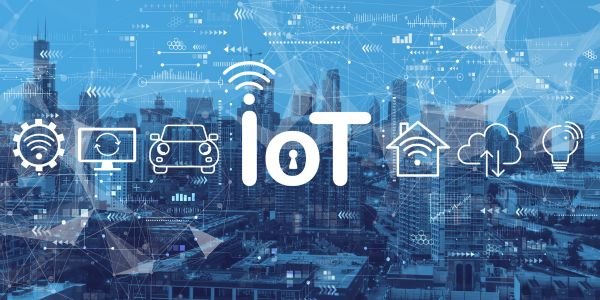
How IoT works
Every IoT system, from a smart bulb to a factory monitoring system, does the same four things: sense, connect, process, act.
- A sensor measures something: temperature, vibration, current, location, soil moisture.
- A microcontroller (such as an ESP32 or an ARM Cortex-M chip) reads the sensor and packages the data.
- A radio or wired link sends it to a gateway or straight to the internet.
- A cloud or local server stores the data, runs rules or analytics, and sends back commands.
- An actuator (relay, valve, motor, display) carries out the command, or an app alerts a person.
IoT architecture: the four layers
| Layer | What it does | Examples |
|---|---|---|
| 1. Perception (device) layer | Sensing and actuating in the physical world | DHT22 temperature sensor, accelerometer, GPS module, relay, servo |
| 2. Network (connectivity) layer | Moves data from devices to servers | Wi-Fi, Bluetooth Low Energy, Zigbee, LoRaWAN, NB-IoT, 4G/5G, Ethernet |
| 3. Processing (middleware) layer | Stores, filters and analyses data; runs device management | MQTT broker, time-series database, rules engine, edge gateway, cloud IoT platform |
| 4. Application layer | What users see and use | Mobile app, dashboard, alerts, reports, automatic control |
Many systems add edge computing: a gateway near the devices processes data locally, so a machine can be stopped in milliseconds without waiting for the cloud, and only summaries travel over the WAN. For the long-distance links between sites, see how a WAN works.
IoT connectivity options compared
| Technology | Typical range | Data rate | Power use | Good for |
|---|---|---|---|---|
| Wi-Fi | Tens of metres | High (Mbps) | High | Cameras, smart plugs, home appliances |
| Bluetooth Low Energy | About 10-50 m | Up to about 2 Mbps | Very low | Wearables, fitness bands, beacons |
| Zigbee / Thread | 10-100 m per hop, mesh | 250 kbps | Low | Home automation, smart lighting |
| LoRaWAN | Several km in open areas | Very low (kbps) | Very low | Farm sensors, water meters, smart city |
| NB-IoT / LTE-M | Mobile network coverage | Low | Low | Smart meters, asset trackers |
| 4G / 5G | Mobile network coverage | High | High | Vehicles, video, connected machines |
On top of the link, devices talk using application protocols. The most common is MQTT, a lightweight publish/subscribe protocol: a sensor publishes to a topic such as plant1/pump3/temperature, and any dashboard or rule subscribed to that topic receives the reading. CoAP and plain HTTPS are the other usual choices. In smart homes, the Matter standard (launched in 2022) lets devices from different brands work together over Wi-Fi and Thread.
Worked example: how long will an IoT sensor’s battery last?
Battery life is often the deciding design constraint. Take a soil-moisture sensor running on two AA cells (about 2,500 mAh):
- Sleep current: 5 µA (0.005 mA), almost all the time.
- Wake, read and transmit: 20 mA for 1 second, once every 15 minutes (900 seconds).
Average current = sleep + transmit share = 0.005 mA + 20 mA × (1 ÷ 900) = 0.005 + 0.0222 = 0.0272 mA.
Battery life = 2,500 mAh ÷ 0.0272 mA ≈ 91,900 hours ≈ 10.5 years on paper. In practice, battery self-discharge and cold weather cut this to a few years, but the calculation shows the key lesson: the radio’s on-time dominates. Send every 5 minutes instead of 15 and the average current nearly triples.
Applications of IoT
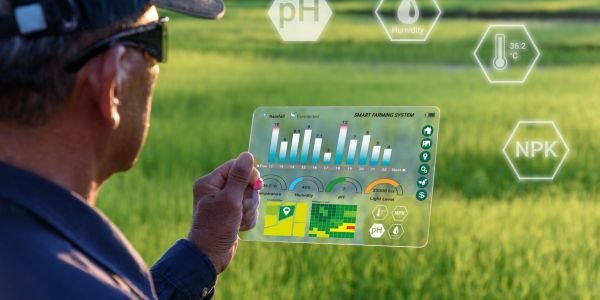
Smart homes
Smart plugs, lights, door locks, video doorbells and air conditioners that you control by app or voice, plus automations such as “turn off the geyser at 7 am”.
Industrial IoT (IIoT)
Vibration and temperature sensors on motors, pumps and gearboxes feed predictive maintenance: a rising vibration trend warns of bearing wear weeks before a breakdown. Energy meters on each machine show where power is wasted. IIoT often sits alongside older plant systems such as SCADA and field devices like RTUs.
Energy and utilities
Smart electricity meters report consumption remotely and support prepaid billing; India’s Revamped Distribution Sector Scheme is rolling out smart prepaid meters at very large scale. Water utilities use IoT flow meters to find leaks.
Agriculture
Soil-moisture and weather sensors decide when to run drip irrigation; GPS trackers monitor livestock and tractors.
Healthcare and wearables
Smartwatches track heart rate and sleep; connected glucose monitors and remote patient monitoring send readings to doctors.
Transport and logistics
GPS trackers on trucks and containers, FASTag toll payment, cold-chain temperature loggers for vaccines and food.
Smart cities
Adaptive traffic signals, smart streetlights that dim when roads are empty, air-quality stations, and bins that report when they are full.
Benefits and challenges of IoT
| Benefits | Challenges |
|---|---|
| Real-time visibility of equipment and processes | Security: weak default passwords and unpatched firmware |
| Automation that saves labour and energy | Privacy of personal and location data |
| Predictive maintenance cuts breakdowns | Interoperability between brands and protocols |
| Better decisions from measured data | Battery life and power supply for remote devices |
| Remote monitoring and control | Handling and storing huge volumes of data |
Security is the most serious of these. In 2016 the Mirai malware took over hundreds of thousands of cameras and routers that still used factory passwords and used them for some of the largest denial-of-service attacks seen at the time. Basic defences: unique passwords per device, signed firmware updates, encrypted connections (TLS), and keeping IoT devices on a separate network segment. See intrusion prevention systems for network-side protection.
How students can start with IoT
- Buy an ESP32 or Arduino board with a temperature sensor and a relay module; total cost is usually a few hundred rupees.
- Program it in Arduino C++ or MicroPython to read the sensor every minute.
- Publish readings to a free MQTT broker and build a simple dashboard.
- Add a rule: switch the relay (a fan) on above 30 °C.
- Then learn the networking underneath in computer networks.
FAQs
What is IoT in simple words?
Everyday objects fitted with sensors and an internet connection so they can send data and be controlled remotely, like a smart meter or a fitness band.
What are the four layers of IoT architecture?
Perception (sensors and actuators), network (connectivity), processing (cloud or edge platforms) and application (apps and dashboards).
Which protocol is most used in IoT?
MQTT is the most common application protocol because it is lightweight and uses a publish/subscribe model. CoAP and HTTPS are also widely used.
What is the difference between IoT and IIoT?
IIoT (Industrial IoT) is IoT applied to factories, utilities and heavy equipment, with stronger demands on reliability, safety and real-time response than consumer IoT.
What is the biggest risk with IoT devices?
Security. Devices with default passwords or old firmware can be taken over and used in attacks, so unique passwords and regular updates are essential.
Related Topics on EngineeringHulk
Keep reading
Big Data: Meaning, Significance and Applications
Big data meaning: the 3 Vs and later 5 Vs, how it is stored and processed with HDFS, Spark and data lakes, why it matters, uses in India and challenges.

Encapsulation in C++ (and How to Do It in C): Meaning, Example and Benefits
Encapsulation in C++ means bundling data and functions in a class and hiding the data with private access. Full example with output, and how to do it in C.
Vulnerability Assessment: Process, Tools, Prioritisation and a Free Lab
What a vulnerability assessment is, the 6-step process, CVSS 4.0 vs EPSS vs CISA KEV prioritisation with a worked example, free tools, report format and a lab.
NIST Explained: Standards, CSF 2.0, SP 800 and PQC for Engineers
What NIST is and which of its standards engineers use: CSF 2.0's six functions, SP 800 series, FIPS, post-quantum crypto, NVD changes and India equivalents.
Agent-First Solutions: The Ultimate Guide to the Next Era
Agent-first software is built for AI agents that carry out whole tasks, not for people clicking through screens. How it differs from co-pilot tools, how it works, where i

Mathematics and Computing Engineering Branch: Ultimate Guide
Mathematics and Computing (MnC) combines advanced maths with computer science. How it compares with CSE, what you study, top colleges in India, placements and career path